
Offline AI Studio
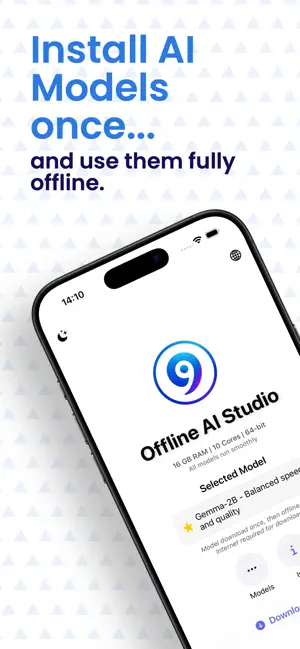
On-device AI for iPhone & iPad — chat, image generation, voice, and more. No cloud backend, no subscription.


Android version: OfflineGPT on Google Play
What's new
Recent additions in v2.1.4
Encrypted chat backup
Export and import your full chat history as an encrypted .ogpt file with PBKDF2 password protection.
Knowledge bases per model
Store context about yourself (profession, background, preferences) per AI model — injected into the system prompt automatically.
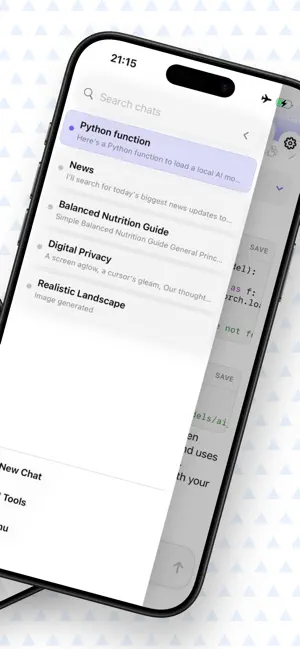
Archive chats & text selection
Archive old conversations instead of deleting them. Also: native text selection and copy in AI responses.
What Offline AI Studio can do
iPhone & iPad · iOS 17+ · Core ML image generation · Metal GPU acceleration
Offline by default
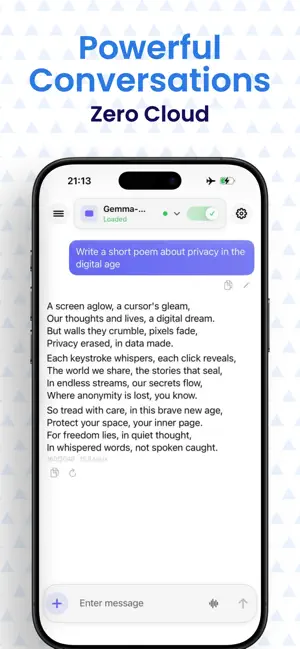
Chats, image generation, and voice input stay on your device. No cloud AI backend, no ads, no tracking.
Gemma 4 E2B — multimodal
Google's on-device model understands text, images, and audio in one conversation. Optional web search when you want it.
Thinking models
Qwen3 (0.6B – 4B) and SmolLM3-3B show step-by-step reasoning before answering — good for problems that need a second look.
Image generation — Core ML
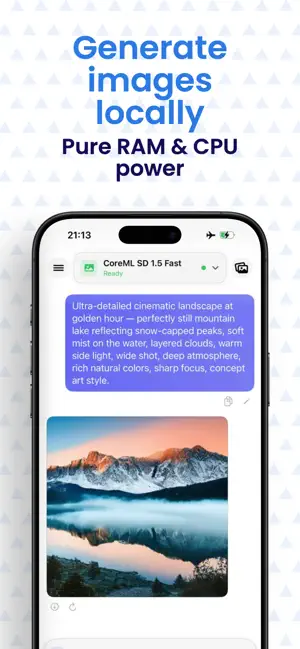
Stable Diffusion runs natively via Core ML on Apple Silicon. Three tiers: SD 1.5 Fast, SD 2.1 Balanced, SDXL Quality — up to 1024px.
Vision models (image understanding)
LFM2-VL 1.6B reads and describes images in chat. Send a photo and ask questions about it — fully on-device.
Whisper voice input
Dictate prompts with on-device speech recognition — a compact Whisper model ships with the app, an enhanced version is an optional download.
AI writing tools
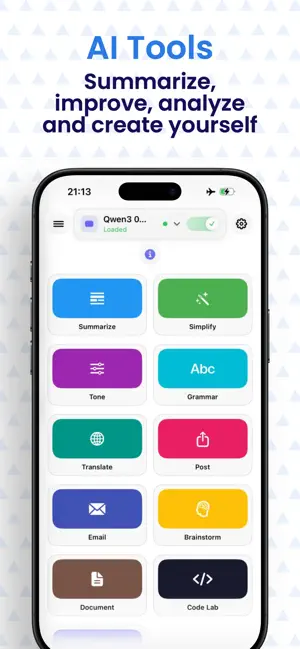
Summarize, grammar, tone, simplify, translate, social posts, email drafts, brainstorming. Pro adds document processing.
Code Lab
Prototype HTML, CSS, and JavaScript with a built-in live preview and an AI coding assistant alongside.
Encrypted chat backup
Export and import your full chat history as an encrypted .ogpt file — AES-based password protection, import on any device.
Document tool (Pro)
Summarize PDFs, CSVs, Excel files and images with offline OCR. Files stay on your device — nothing is sent to a cloud.
Custom AI tools (Pro)
Build your own tools with a custom name, icon, system prompt, and optional knowledge base. Pin them to the home screen.
Optional API mode (Pro)
Connect your own keys for OpenAI, DeepSeek, Gemini, Groq, Mistral, Grok, or a local LM Studio/Ollama endpoint.
On-device model catalog
Download sizes are approximate. Custom GGUF imports also supported.
Text models (GGUF · llama.cpp + Metal)
LFM2.5 1.2B
LiquidAI
Llama-3.2-1B
Meta
Gemma-2B
Thinking models (GGUF · llama.cpp + Metal)
Qwen3 0.6B Thinking
Alibaba
Qwen3 1.7B Thinking
Alibaba
Qwen3 4B Thinking
Alibaba
SmolLM3-3B
Hugging Face
Multimodal — text + image + audio (LiteRT)
Gemma-4-E2B-it
Google (LiteRT)
Vision models — image understanding (GGUF + mmproj)
LFM2-VL 1.6B Q3
LiquidAI (GGUF + mmproj)
LFM2-VL 1.6B Q6
LiquidAI (GGUF + mmproj)
Image generation (Stable Diffusion · Core ML)
SD 1.5 Fast
Core ML · 512px · 20 steps
SD 2.1 Balanced
Core ML · 512–768px · 24 steps
SDXL Quality
Core ML · up to 1024px · 28 steps · iOS 17+
Voice input (whisper.cpp)
Whisper base Q8 (bundled)
whisper.cpp
Whisper base full (optional)
whisper.cpp
Free vs Pro
Pro is a one-time purchase in the App Store — no subscription, no recurring charge.
| Feature | Free | Pro |
|---|---|---|
| On-device text models installed | Max 2 | Unlimited |
| On-device image models installed | Max 1 | Unlimited |
| Custom GGUF imports | Max 1 | Unlimited |
| API mode (cloud providers) | Locked | Full — own API keys |
| Context window | Up to 4,096 tokens | Full device steps |
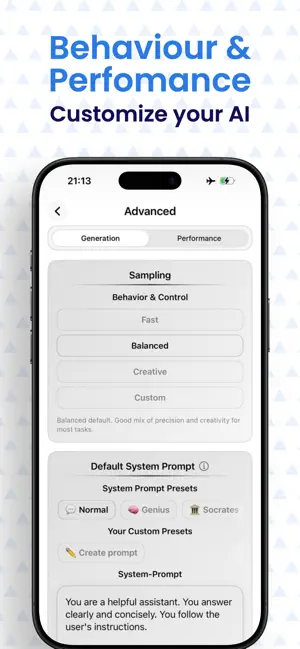
| Custom system prompt | Read-only presets | Full edit + saved prompts |
| Model knowledge injection | Disabled | Enabled per model |
| Themes | 3 free (Light, Dark, Aurora) | All 13 themes |
| Chat file import in composer | Locked | Enabled |
| Document AI tool | Locked | Included |
| Custom AI tools (create & manage) | Locked | Included |
| Ads | None | None |
| Purchase type | — | One-time, no subscription |
Price shown in the App Store — varies by region.
Frequently asked questions
Do I need internet?
To download models and app updates, yes. Once downloaded, local chat, image generation, and voice input work fully offline. Optional: Gemma 4 web search and API mode require a connection when used.
Is Offline AI Studio free?
Yes. The free tier covers local chat, image generation, voice input, and most writing tools. Pro is a one-time App Store purchase — no subscription.
What is Gemma 4 E2B?
Google's multimodal on-device model — understands text, images, and audio attachments in a single conversation. Runs via LiteRT-LM with an optional web search tool you can toggle on or off.
How does image generation work on iOS?
Stable Diffusion runs via Core ML — natively optimised for Apple Silicon and the Neural Engine. Three tiers are available: SD 1.5 Fast (~512px), SD 2.1 Balanced (~768px), and SDXL Quality (up to 1024px, requires iOS 17 and 8 GB RAM). No MNN, no cloud processing.
Is there an Android version?
Yes. On Google Play the app is called OfflineGPT — same offline-first philosophy, built for Android with llama.cpp, MNN, and Snapdragon NPU support.
Which text models are available?
LFM2.5 1.2B, Llama-3.2-1B, Gemma-2B (chat models); Qwen3 0.6B/1.7B/4B and SmolLM3-3B (thinking models); LFM2-VL 1.6B (vision); Gemma 4 E2B (multimodal). Custom GGUF imports also supported.
How does privacy work?
By default, all inference, chat history, and voice input stay on your device. Data only leaves when you use optional features: model downloads, Gemma 4 web search, or API mode with your own keys. Full privacy policy.
Get Offline AI Studio
Free download on the App Store · iPhone & iPad